

Add and Edit a Product
A product needs a SKU and an attribute set to exist; the name comes right after. These steps create one in the PIM panel and show where every other product is found and edited.
Before You Start
Section titled “Before You Start”- You are signed in with the Editor role or a higher one (Manager, Administrator). Sign In and Find Your Way Around covers signing in.
- The PIM panel is enabled.
- An attribute set exists. The demo data has Furniture. The create form labels the field Feature set.
-
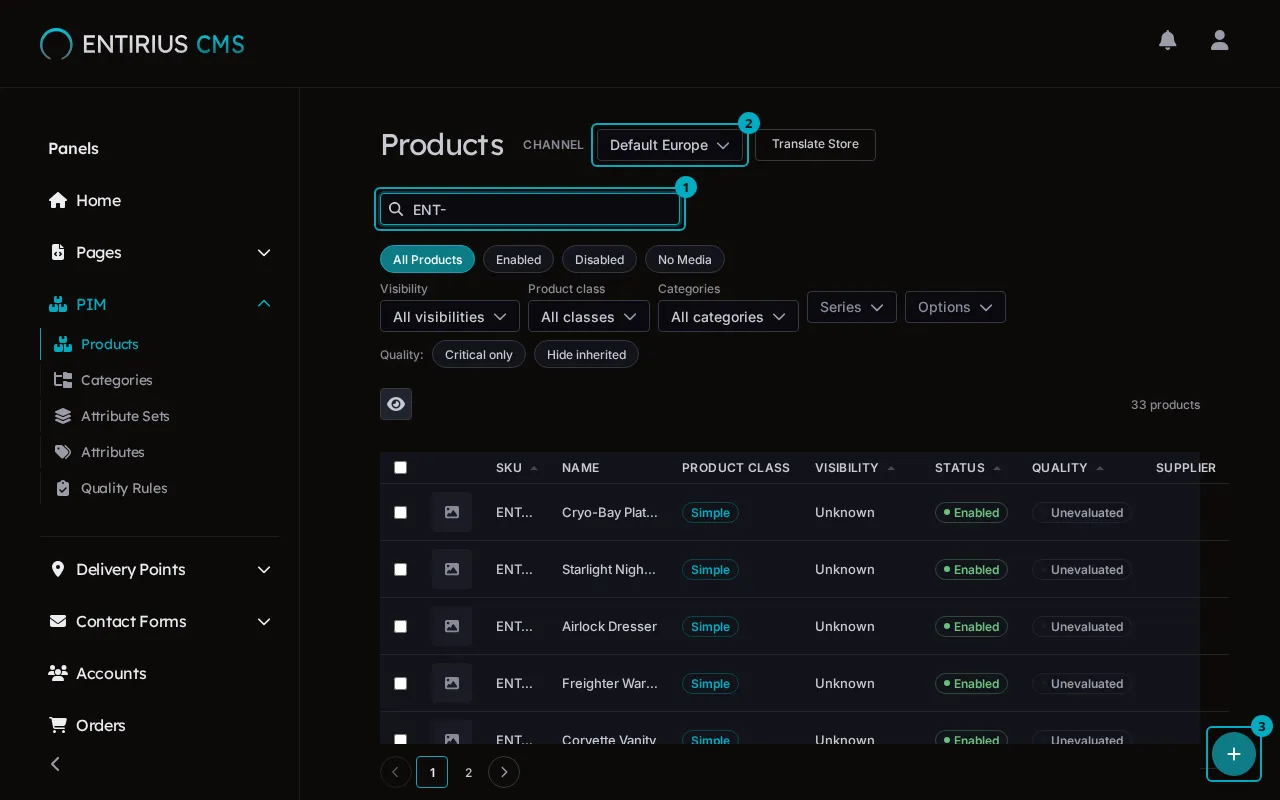
In the sidebar, open PIM and select Products. The search field (1), which reads Start typing… while empty, matches the name, the SKU or the EAN. The channel selector (2) picks the channel you edit. The add button (3) sits in the bottom right corner.
-
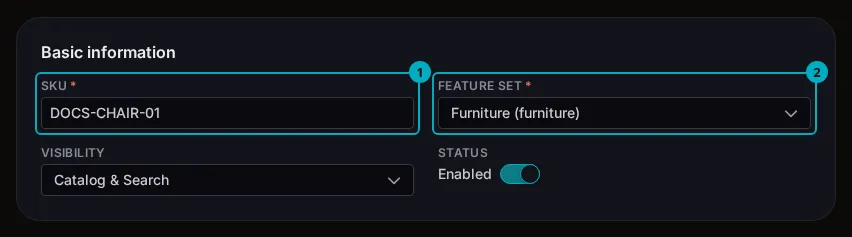
Select the add button, then Create product. Type the SKU (1) without spaces and choose a Feature set (2). Visibility and Enabled come preset; change them here or later on the product page.
-
Fill the name under Required attributes, further down the form, then select Save. The product opens on its own page.
-
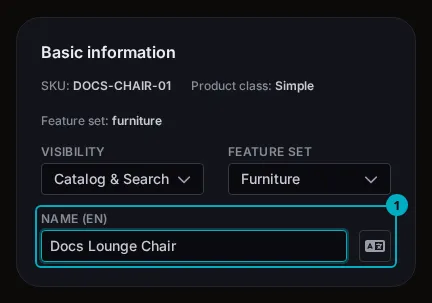
In Basic information, type the product’s Name (1) again (the label carries the language, here EN): the create form stores the first one with formatting markup. Unsaved changes stays on the screen until you select Save.
-
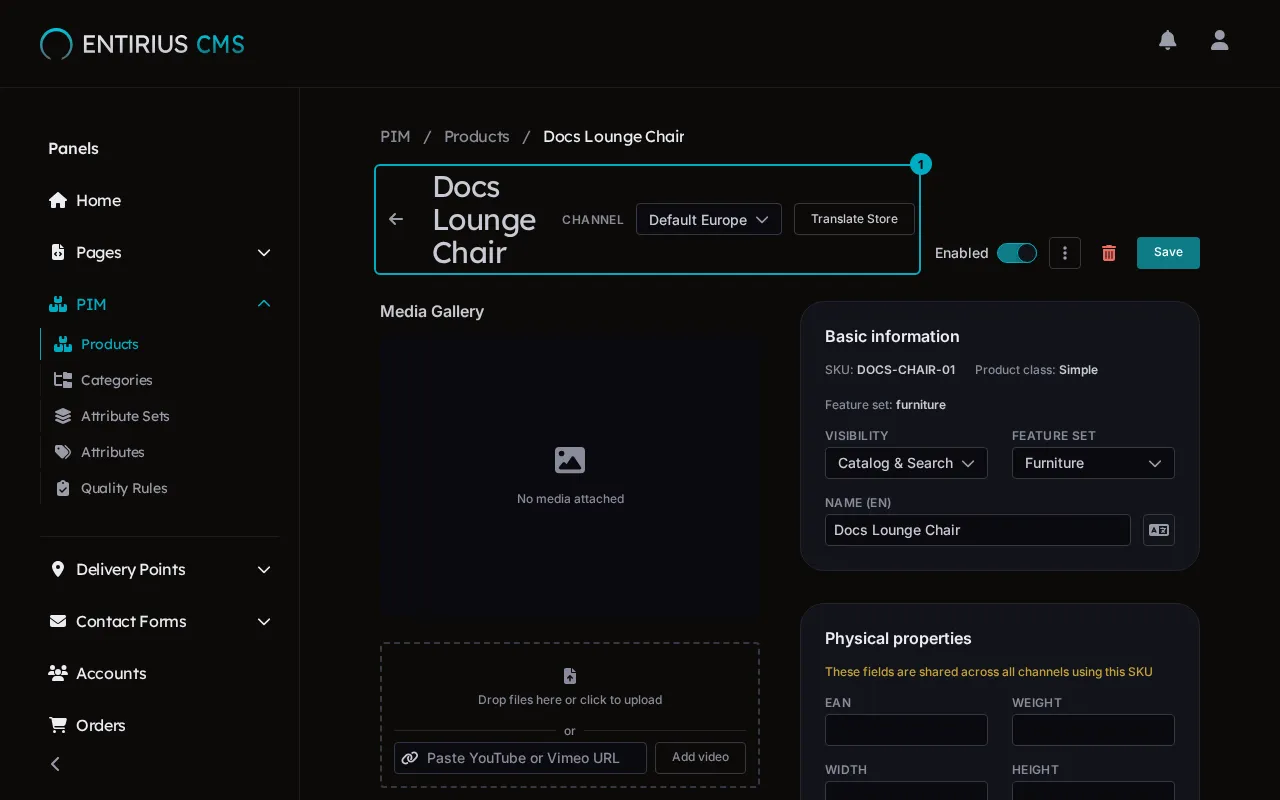
After the save, the title row (1) and the breadcrumb carry the product’s name. The Enabled switch in the header enables or disables the product.
Result
Section titled “Result”The product has its own page, titled with its name, and shows in the Products list of the channel you chose. What an attribute set holds and how the product form reads it: PIM module docs.